
Deciding between a Content Management System (CMS) and Custom Development is a pivotal choice that shapes your digital footprint and operational efficiency.
This comprehensive guide explores the structural differences, long-term costs, and performance metrics of both approaches to help you decide.
Whether you prioritize rapid deployment or a highly specialized architecture, understanding these two paths is essential for long-term online success.
Understanding the Core Differences
At its heart, a CMS (like WordPress, Shopify, or Webflow) provides a pre-built framework where users can manage content without touching code.
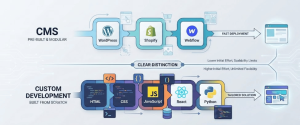
Custom Development, on the other hand, involves building a website from scratch using languages like HTML, CSS, JavaScript, or frameworks like React and Python, tailored specifically to unique business logic.
The Benefits of Using a CMS
For many businesses, a CMS is the gold standard for flexibility and ease of use.
User-Friendly Interface: You don’t need to be a developer to update a blog post, change an image, or edit a product description. This no-code environment empowers marketing teams.
Rapid Deployment: Since the infrastructure is already built, you can launch a professional-looking site in days or weeks rather than months.
Cost-Effective Entry: With thousands of themes and plugins available, the initial investment is significantly lower than hiring a team to write every line of code.
Massive Community Support: If you run into a bug, chances are thousands of others have too. Solutions are usually just a Google search away.
The Benefits of Custom Development
When your requirements exceed the out-of-the-box capabilities, custom development becomes the superior choice.
Limitless Scalability: You aren’t restricted by the architecture of a third-party platform. The site grows exactly how your business grows.
Optimized Performance: Custom sites are leaner. They don’t carry the bloat of unnecessary plugins, leading to faster load times and better Core Web Vitals.
Enhanced Security: Because the codebase is unique and not open-source, it is a less attractive and more difficult target for automated hacker bots.
Unique Brand Identity: You aren’t tied to a template. Every pixel is crafted to reflect your specific brand voice and user journey.
SEO Performance: Which One Ranks Better?
Search Engine Optimization (SEO) is a primary concern for any business looking to grow online.
SEO in a CMS
Most CMS platforms are built with SEO in mind. Tools like Yoast or RankMath make it easy to manage meta tags, sitemaps, and robots.txt files.

However, a CMS can become heavy with too many plugins, which can slow down page load speeds a critical ranking factor for Google.
SEO in Custom Development
With custom code, you have 100% control over the site’s technical SEO. You can implement Schema Markup precisely, ensure clean URL structures, and achieve lightning-fast loading speeds.

While it requires more manual work, the results often lead to better rankings due to the lean nature of the code.
CMS vs. Custom Development
| Feature | Content Management System (CMS) | Custom Development |
|---|---|---|
| Development Time | Short (Days to Weeks) | Long (Months) |
| Initial Cost | Low to Medium | High |
| Maintenance | Frequent Updates (Plugins / Themes) | Low (Stable Codebase) |
| SEO Flexibility | Good (Via Plugins like Yoast) | Excellent (Complete Control) |
| Security | Vulnerable to Global Exploits | Highly Secure & Unique |
| Scalability | Limited by Platform Constraints | Unlimited |
Which One is Right for You?
Choosing between these two isn’t about which is better, but which is right for your current stage.
Choose a CMS If
You are a small to medium-sized business or a startup.
You need to publish content frequently (blogs, news, portfolios).
You have a limited budget and need to go live quickly.
You want your internal team to manage the site daily.
Choose Custom Development If
You have complex functionality requirements (e.g., a unique SaaS tool).
Data security and high-speed performance are your top priorities.
You want a 100% unique user experience that no template can provide.
You have a dedicated budget for long-term specialized growth.
Conclusion
The battle between CMS and Custom Development boils down to Convenience vs. Control. A CMS offers a fast, collaborative environment perfect for content-driven marketing.
Custom development CMS vs Custom Development offers a powerful, high-performance engine for businesses with specific, technical needs. Evaluate your 3-year plan before committing; while a CMS gets you started today, custom code builds the foundation for tomorrow’s innovations.
Frequently Asked Questions (FAQs)
1. Which platform is better for SEO?
Custom Development usually offers better technical SEO because the code is cleaner and faster. However, a CMS is much easier for beginners to manage daily SEO tasks using plugins like Yoast. If you want speed, go custom; if you want ease of use, choose a CMS.
2. Can I switch from a CMS to Custom Development later?
Yes, you can migrate as your business grows. While the transition requires rebuilding the site’s architecture, your content and data can be moved. Just ensure you use 301 redirects during the process to keep your current Google rankings safe.
3. Is Custom Development always more expensive?
Initially, yes. Custom sites require a higher upfront investment for specialized coding. However, a CMS can have hidden long-term costs like monthly plugin fees and frequent maintenance. Custom sites are often more stable and cost less to maintain over several years.
Recent Comments